
[ Electronics ] [ All downloads ]
Groovetron Dance Cabinet
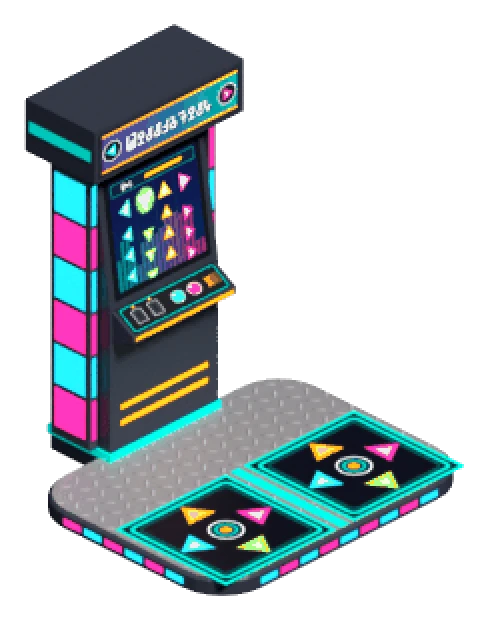
A dance machine for your Sims, with a pad to step on and music to dance to. It's in active development, so it will change as I work on it.
Version 0.2.0, active beta
Works with any version of the game. Best played with the Complete Edition or the Legacy Collection.
This one is still being built. Expect rough edges, and back up your game first.
- Your Sim steps onto the pad and dances while one of three songs plays.
- In a long dance the music moves on to another song, and a dance never starts with the song that played last.
- The screen moves, and the lights flash on the beat while the whole machine glows.
- Dancing builds your Sim's Body skill, a little slower than the exercise machine.
- Two Sims can dance at once, one on each pad. While one Sim dances, another picks Join Dance.
- Two Sims dancing together both gain a bit of Social as well as Fun.
- Children can dance too.
- It's a workout: dancing makes your Sim sweaty and hungry as well as happy.
Already have 0.1.x? Unzip over the old files. Machines you already placed update by themselves.
Known problems
- Only two Sims can dance at a time, and they may do different routines.
It's a beta, so more things may go wrong, and some expected functionality isn't quite there yet.
Files, credits and more
Groovetron Dance Cabinet GR00V
A slim arcade cabinet with a lit sign, a screen and light bars, and a dance pad with two arrow panels. This is the picture the game uses for the machine, not a screenshot of it in a room.
Files: groovetron.iff and the groovetronmusic files (keep them together)
Credits
- The Simlish text on the machine uses the font immajer-Simlish by Immajer (inkandchaos on Mod The Sims).
- "dance music 1" by dogchicken (Dong-Young Kim), CC-BY 3.0.
- "A Walk In The Sky 2 (Loop)" by Snabisch, CC-BY 3.0.
- "Progressive Trance EDM - Silver": SOUND AIRYLUVS by ISAo, airyluvs.com, OGA-BY 3.0.
I shortened each song to a loop, changed its speed to 140 BPM so it matches the dance (the pitch stays the same), made it mono and evened out the volume.
How to install
- Unzip into your Sims 1 installation folder. The folders in the zip match the game's, so everything lands in the right place.